
Instagram Saved alternative
An alternative to Instagram’s Saved folder that you can search
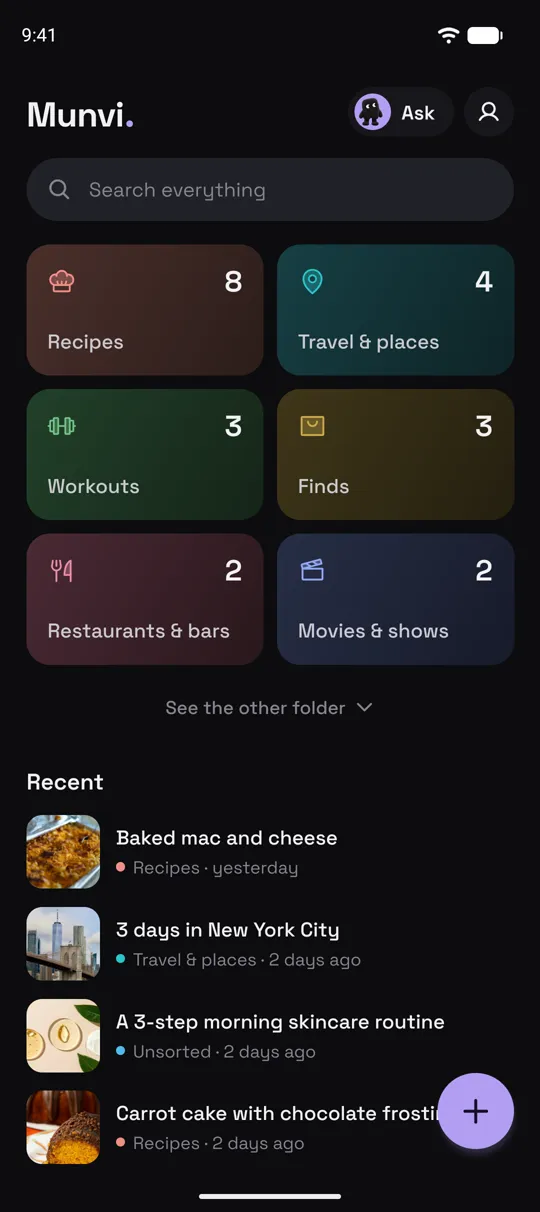
Munvi is an Android app that keeps what you save in one place you can search: share a reel or post to it and it writes a card with what’s inside, files it in the right folder, and finds it later by any word, even one only said in the video. It imports what you already saved on Instagram, takes saves from TikTok, YouTube, Facebook, X and Pinterest too, and nobody else can see your collection.
 Free to start · Android
Coming soon to iPhone. Join the waitlist
How it works
Three steps, and you never leave the app you were in.
- 1
Bring your old saves over
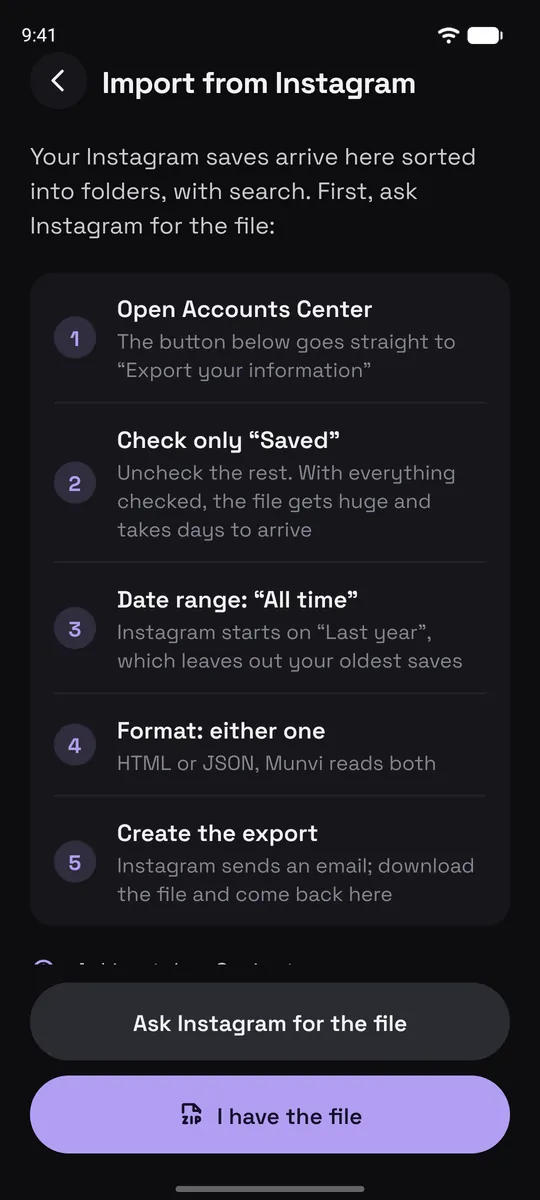
Ask Instagram for your data export with only “Saved” ticked, and pick the file in Munvi. Your collections become folders and the rest is sorted by theme. TikTok Favorites come in the same way.
- 2
Save new posts to Munvi
In Instagram, TikTok, YouTube or any app, tap Share and pick Munvi. On Android the app doesn’t even open: you keep scrolling, and a notification tells you when the card is ready, usually in about a minute. You can also paste a link inside Munvi.
- 3
Find it, or just ask
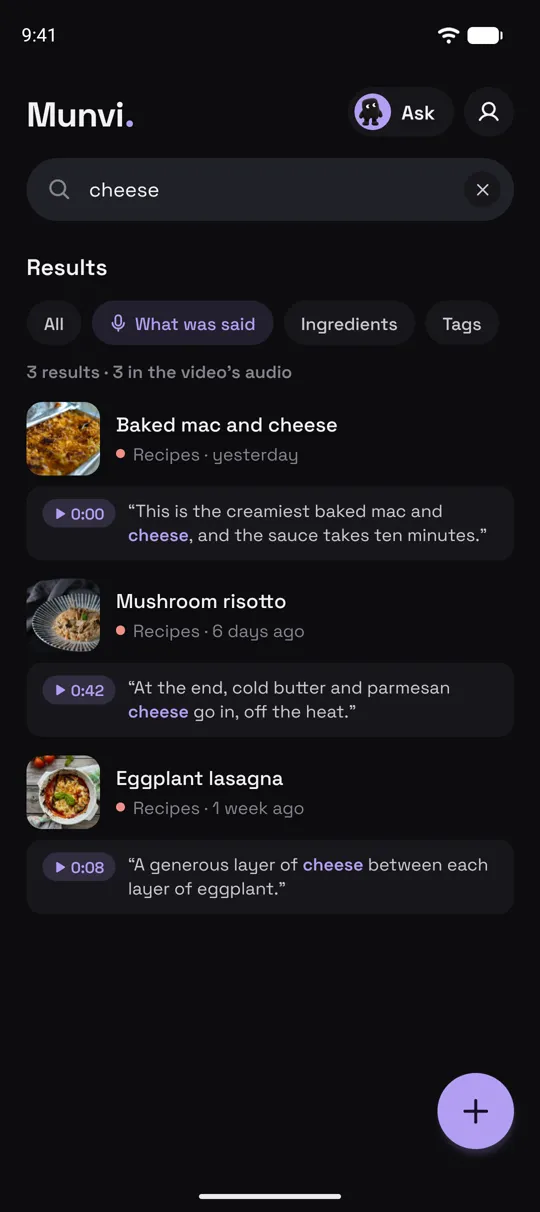
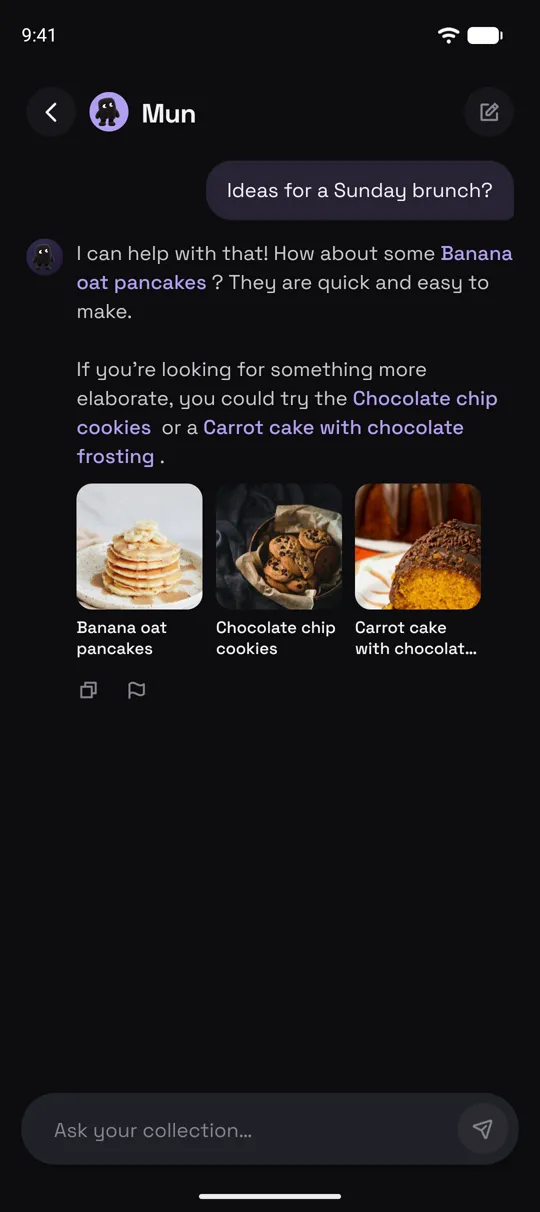
Search by a word in the title, the caption or what was said, or ask Mun, the app’s assistant, something like “ideas for a Sunday brunch?” It answers from your saves only and shows which ones.
Screens from the Munvi app for Android.
What Instagram’s Saved tab doesn’t do
Saving stays one tap. What changes is what you can do with the post afterwards.
Search. By title, caption, ingredient, place or a line said in the video.
Folders that fill themselves. Munvi picks the folder for each save and offers a new one when a theme starts piling up in Unsorted.
A card instead of a thumbnail. Recipes get ingredients and steps, workouts their sets and rest, places a pin on a map, and anything else its key points and links.
Everything in one place. Instagram, TikTok, YouTube, Facebook, X, Pinterest, websites, Google Maps places and screenshots, side by side.
Private. No profile, no followers, no feed. A card leaves your collection only when you send someone its link.
Yours to take. Export every card, note and link as one file whenever you want.
Good to know
- Munvi doesn’t sync with Instagram on its own and never asks for your password. Old saves come in once, from the export file; new ones come in when you share them.
- Imported posts arrive with their caption and folder. A post gets its full card when you open it, and on the free plan that counts toward your 3 cards a week.
- Instagram Stories can’t be saved by link; save a screenshot of the story instead.
- Android only for now.
Questions
Can I search my Instagram saved posts?
Not inside Instagram: the Saved tab has no search. Once your saves are in Munvi, you can search them by any word in the caption or the card, and by what was said in the video.
How do I move my Instagram saves to Munvi?
In Instagram, go to Accounts Center and export your information with only “Saved” ticked, for all time. Instagram emails you the file; pick it in Munvi under Settings › Import from Instagram. It reads only your saves list, even from a file of several gigabytes.
Will my Instagram collections come over?
Yes. Each collection becomes a folder, and the saves outside any collection are sorted by theme for you to review.
Does it work for TikTok saves too?
Yes. Munvi imports your Favorites from TikTok’s data file, and any TikTok you share to it gets a card like a reel does.
Is it free?
It’s free to start. In your first week, up to 10 posts become cards as soon as you save them; after that you get 3 cards a week, made when you open the post. Pro, bought in the app, makes up to 100 cards a week right away and handles videos up to an hour long.
Is Munvi on iPhone?
Not yet. Munvi is on Android now, and the iPhone version is being built. Leave your email at the bottom of this page and we’ll write once, when it’s out.
The next one you save, you’ll actually use.
Free to start · Android