
How to export your saved posts from Instagram
4 min readUpdated October 1, 2026
Quick answer
In Instagram, go to Profile → ☰ → Accounts Center → Your information and permissions → Export your information → Create export. Pick Export to device, leave only “Saved” ticked, change the date range to “All time” and tap Start export. Instagram emails you when the file is ready; the link lasts 4 days.
Who it’s for: Anyone with dozens, hundreds or thousands of saved posts who wants a copy — to keep, to search a caption, or to bring into another app.
In this guide
Step by step
It takes about 2 minutes. The labels below are the ones the Instagram app shows in English.
- 1
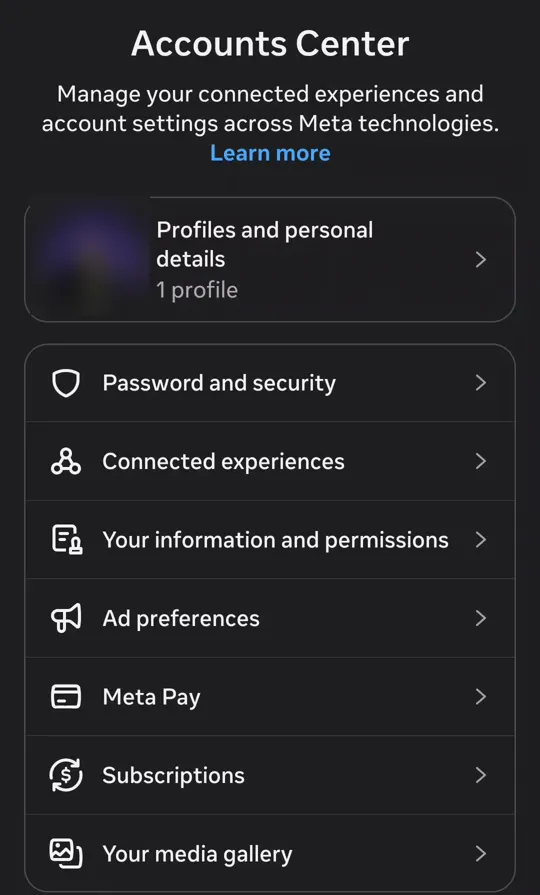
Open Accounts Center
On your profile, tap ☰ at the top. In Settings and activity, the first item is Accounts Center.
- 2
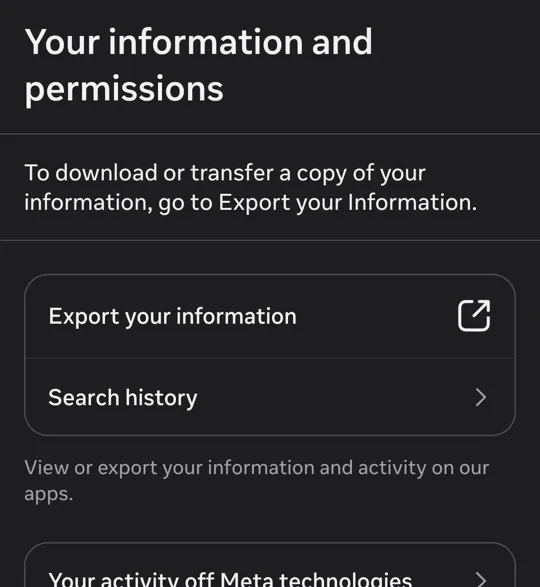
Tap “Your information and permissions”, then “Export your information”
Instagram opens a Meta page, still inside the app.
- 3
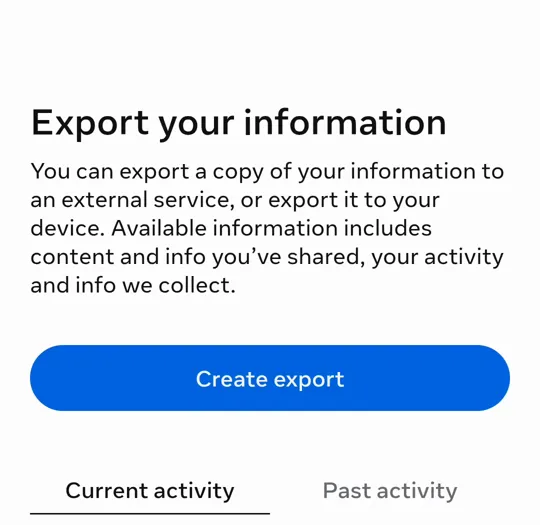
Tap “Create export”
If Accounts Center has more than one account, pick the Instagram account whose saves you want.
- 4
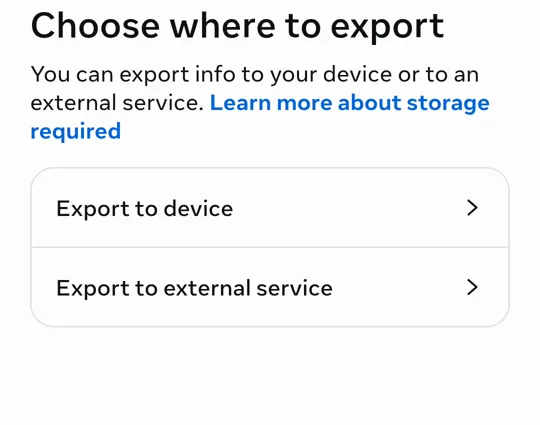
Choose “Export to device”
The other option sends the file to a service like Google Drive. That works too, but the file is the same and downloading to your phone is simpler.
- 5
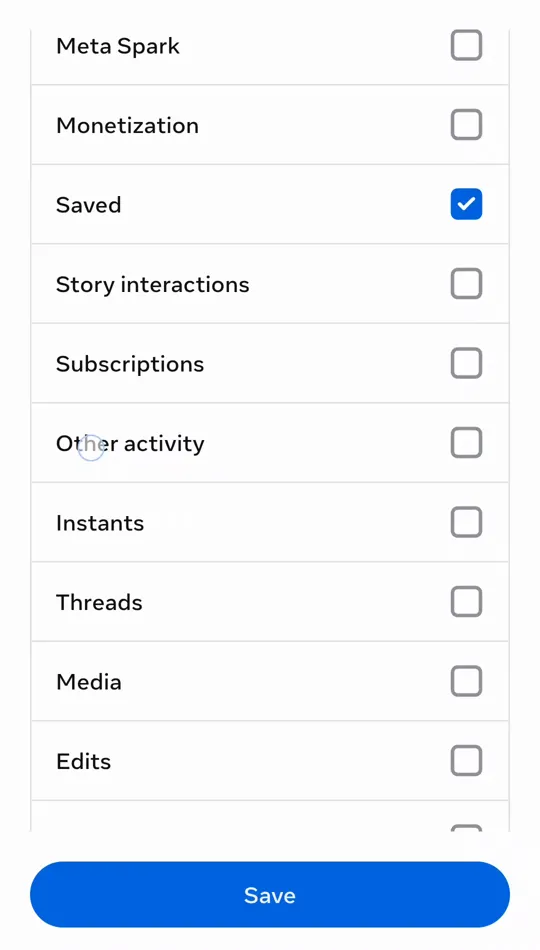
In “Customize information”, keep only “Saved”
The default is “All available information”: photos, messages, likes, all of it. Tap “Clear all” in each group of the list — there are several, one under the other — and tick only “Saved”, under “Your Instagram activity”. Then Save.
With everything ticked the file runs to gigabytes, may come in several parts and takes days to arrive.
- 6
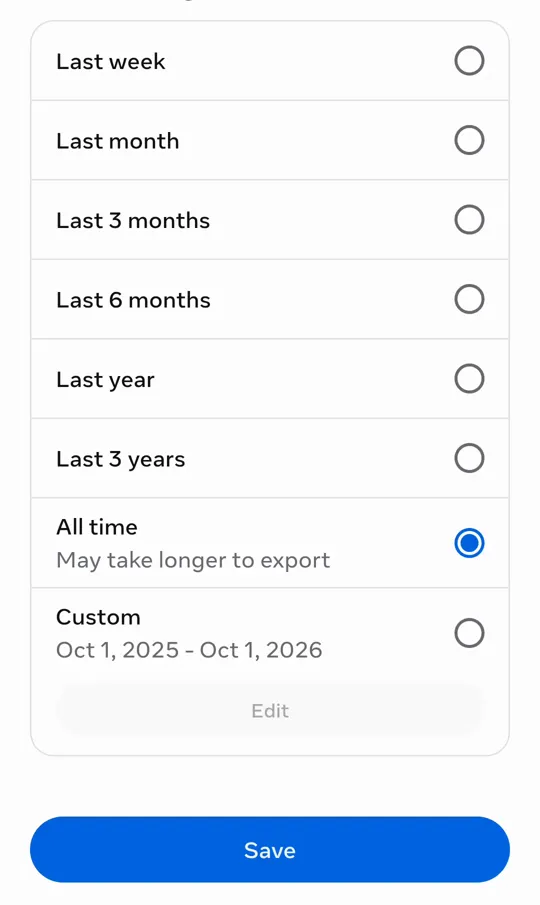
In “Date range”, choose “All time”
That way saves from every year come in, not just the recent ones.
The default is “Last year”: left as it is, everything you saved before that is left out.
- 7
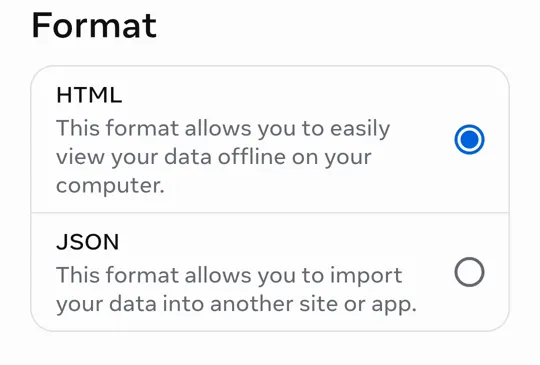
Format: HTML or JSON
Both carry the same posts, with captions and hashtags. HTML opens in a browser; JSON keeps the exact time you saved. To bring the file into another app, either works.
- 8
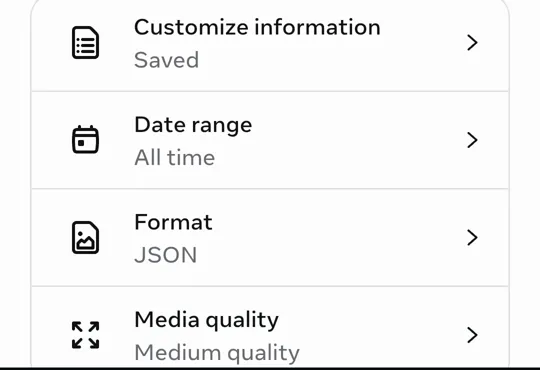
Tap “Start export”
Check the summary — Saved, All time — and confirm. Instagram asks for your password again, for security.
- 9
Wait for the email and download the file
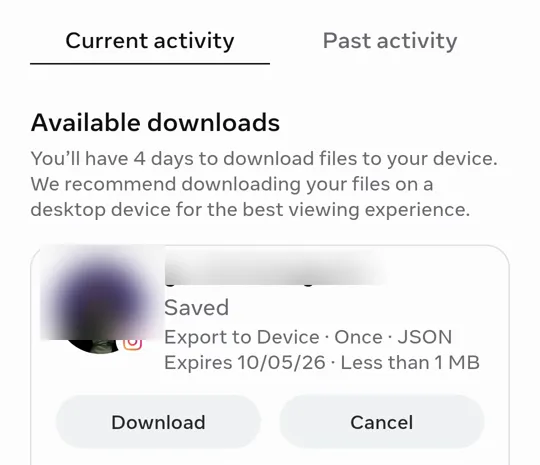
When it is ready, Instagram sends an email and the file shows up under “Available downloads” on the same page, with a Download button. With only your saves, it usually takes minutes to a few hours. It is a .zip.
The link lasts 4 days. After that you have to ask again.
HTML or JSON?
We compared both formats post by post, on the same account, on the same day.
| HTML | JSON | |
|---|---|---|
| Post link | ✓ | ✓ |
| Author (@ and name) | ✓ | ✓ |
| Caption | ✓ | ✓ |
| Hashtags | ✓ | ✓ |
| Collections | ✓ | ✓ |
| When you saved it | the day | ✓ day and time |
| Opens in a browser | ✓ | — |
| Photos and videos | — | — |
What is inside the file
Unzipped, the .zip has a your_instagram_activity/saved folder with:
- saved_posts: every saved post: the link, who posted it, the caption, the hashtags and when you saved it.
- saved_collections: only there if you use collections: each one’s name and the posts in it.
- No photos or videos: the file is a list of links and text. The pictures stay on Instagram.

Bring it to Munvi
Pick the .zip in the app, no unzipping needed. Your saves arrive sorted into folders — your collections become folders with the same name — and every caption is searchable. Any post becomes a full note with one tap.
Questions
How long does Instagram take to send it?
With only “Saved” ticked, it usually arrives in minutes or a few hours. Instagram says up to 30 days, which happens more when everything is ticked.
Does the file include the photos and videos?
No. You get the link, the caption, who posted it and the date. To see the photo or video, the link opens the post on Instagram.
What if I export everything, not just my saves?
It works: the saves sit in the same place inside the file. It is just much bigger, may be split into parts and takes longer to arrive.
Can I export a single collection?
No. Instagram exports all your saves at once, with collections in a separate file.
Do I need to give an app my Instagram password?
No. You ask for the export inside Instagram itself. An app that reads the file, like Munvi, never needs to sign in to your account.
What if the email link expires?
Ask again, with the same steps. Your saves are still on Instagram.