
Recipes from videos
How to save TikTok recipes, with the ingredients written down
Share the TikTok to Munvi, an Android app that watches the video and writes the recipe out for you: every ingredient with its amount, the steps in order, and a cook mode with timers. It works the same with Instagram reels, YouTube videos and recipe websites, and several recipes can go into one shopping list with the amounts added up.
 Free to start · Android
Coming soon to iPhone. Join the waitlist
How it works
Three steps, and you never leave the app you were in.
- 1
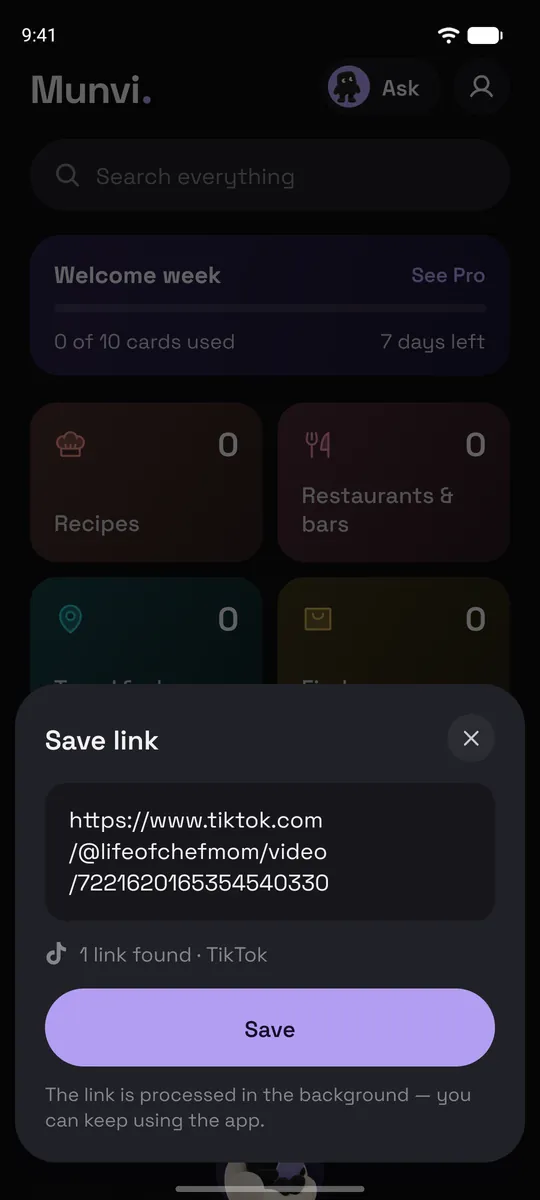
Share it to Munvi
In TikTok (or Instagram, YouTube, Pinterest, Facebook), tap Share and pick Munvi. On Android the app doesn’t even open: you keep scrolling, and a notification tells you when the card is ready, usually in about a minute. You can also paste a link inside Munvi.
- 2
Munvi writes the recipe
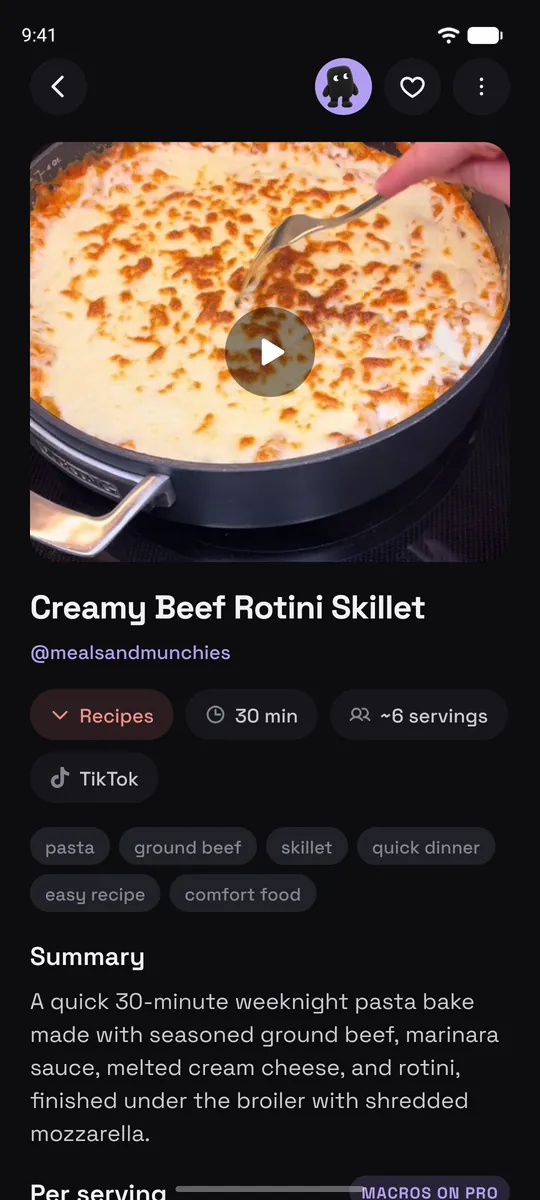
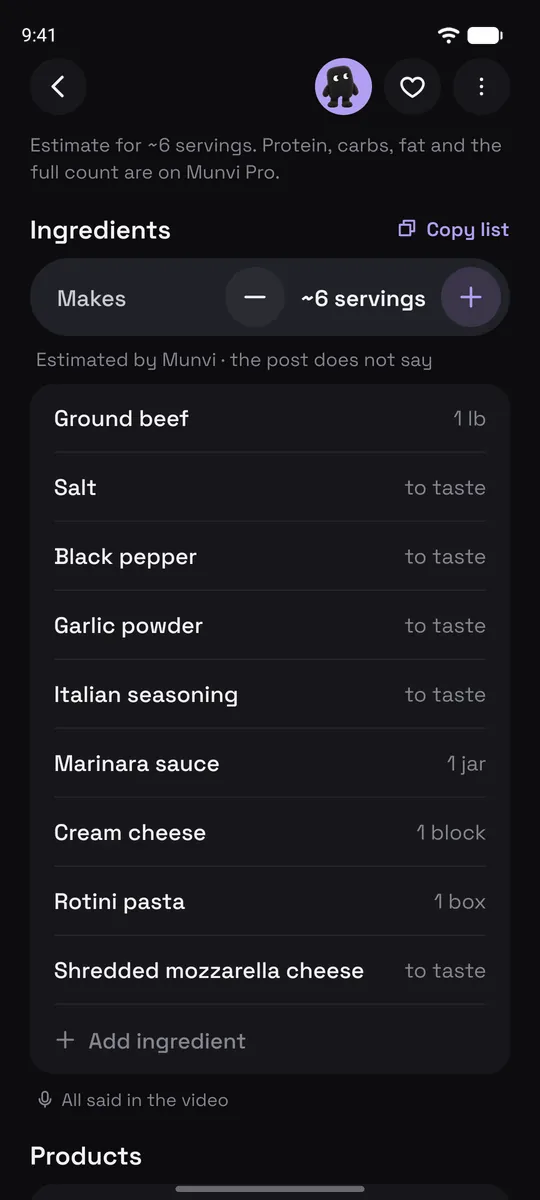
It reads the whole video, not just the caption: the amount said out loud, the text that flashes on screen, the list in the description. You get the ingredients with amounts, the steps, the time, and how many it serves, filed in your Recipes folder.
- 3
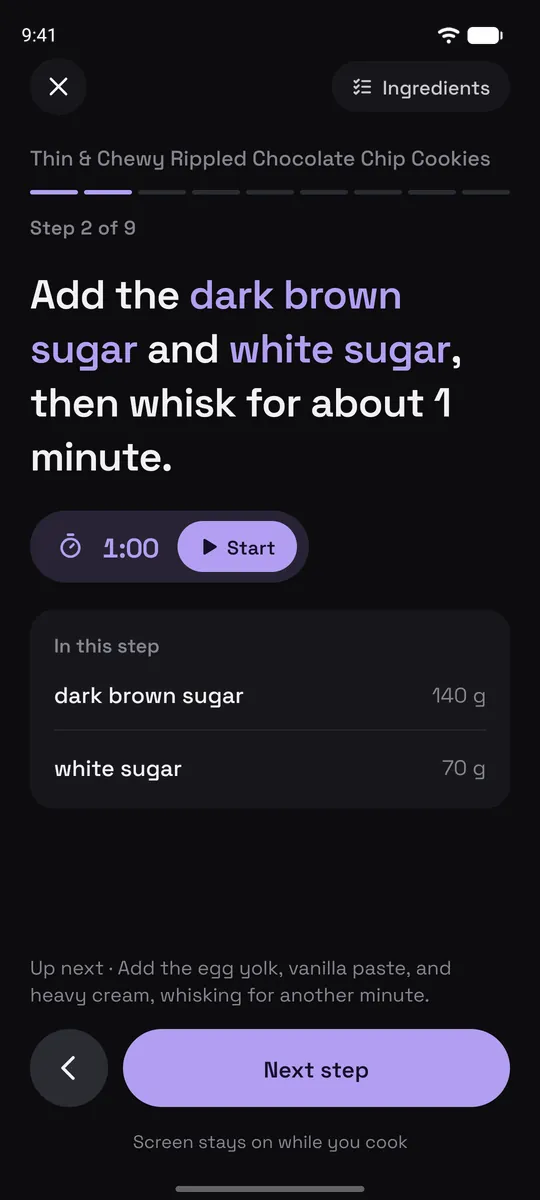
Cook from the card
Cook mode shows one step at a time with the ingredients that step uses, runs a timer when the step names one, and keeps the screen on. No more pausing the video with floury hands.
Screens from the Munvi app for Android.
What’s on a recipe card
Every card is written in English, even when the video is in Spanish, Italian or Portuguese, and it links back to the original post.
Ingredients with amounts, grouped by part when the recipe has them (dough, filling, sauce). When the creator never says how much, Munvi fills it in and marks it “Estimated by Munvi”.
Steps in order, with the time each one takes when the video says so.
Servings you can change. Make it for 2 instead of 6 and the amounts adjust.
Where each line came from. Said out loud, on screen or in the caption, with the minute in the video, so you can check the one amount you’re unsure about.
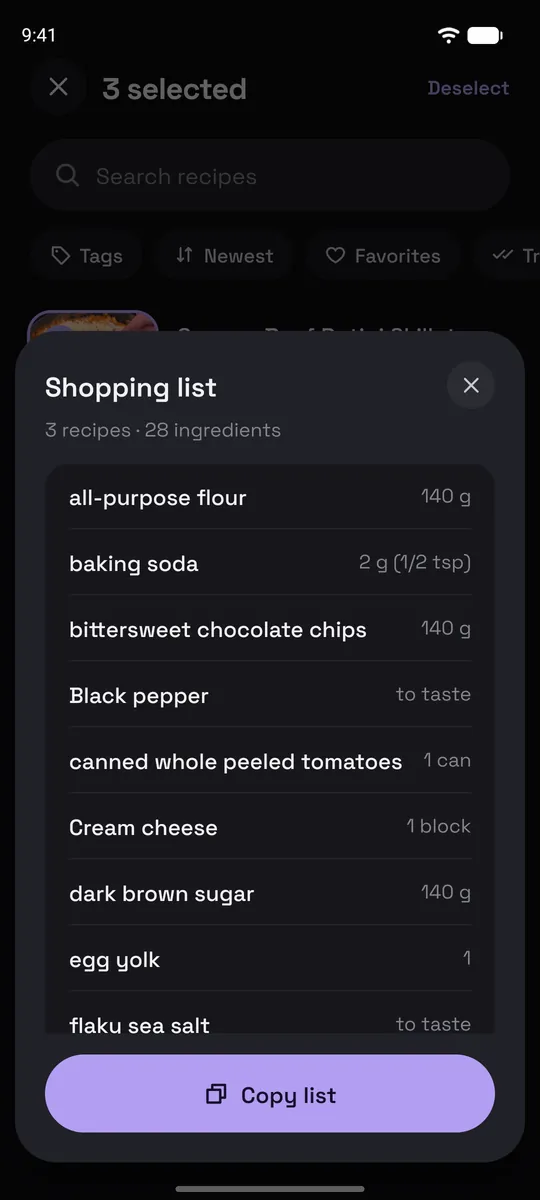
One shopping list for several recipes. Pick a few recipes and Munvi makes a single list, adding up what repeats. Plan them on days of the week and the week’s list lets you check items off at the store.
Calories on every recipe, and protein, carbs and fat per serving on Pro.
Search by ingredient or by what was said. Type “ground beef” or “heavy cream” and find the recipe, even if it isn’t in the title.
Good to know
- Munvi doesn’t download the video to your phone. It keeps the card and a link to the post.
- Videos longer than 20 minutes get a card on Pro, up to 1 hour.
- Recipes aren’t the only thing it saves: workouts, places and how-tos from the same feeds get their own kind of card.
- Android only for now.
Questions
What if the ingredients aren’t in the caption?
That’s the case Munvi is built for. It listens to the video and reads the text on screen, so a recipe that is only spoken (“a cup of flour, a pinch of salt”) still lands on the card with its amounts.
Does it work with Instagram reels and YouTube too?
Yes. Instagram reels and carousels, YouTube videos and Shorts, Pinterest pins, Facebook reels and posts, and recipe websites all become the same kind of recipe card.
Can I make a grocery list from several TikTok recipes?
Yes. Select the recipes in a folder and tap List: Munvi puts every ingredient in one list and adds up the amounts that repeat in the same unit. You can copy the list to send it or paste it into your notes app.
Can I edit the recipe?
Yes. You can change or add ingredients and write a note on the card, like what you swapped or how it turned out, with a photo.
Is it free?
It’s free to start. In your first week, up to 10 posts become cards as soon as you save them; after that you get 3 cards a week, made when you open the post. Pro, bought in the app, makes up to 100 cards a week right away and handles videos up to an hour long.
Is Munvi on iPhone?
Not yet. Munvi is on Android now, and the iPhone version is being built. Leave your email at the bottom of this page and we’ll write once, when it’s out.
The next one you save, you’ll actually use.
Free to start · Android