
Workouts from reels
How to save workouts from Instagram and TikTok
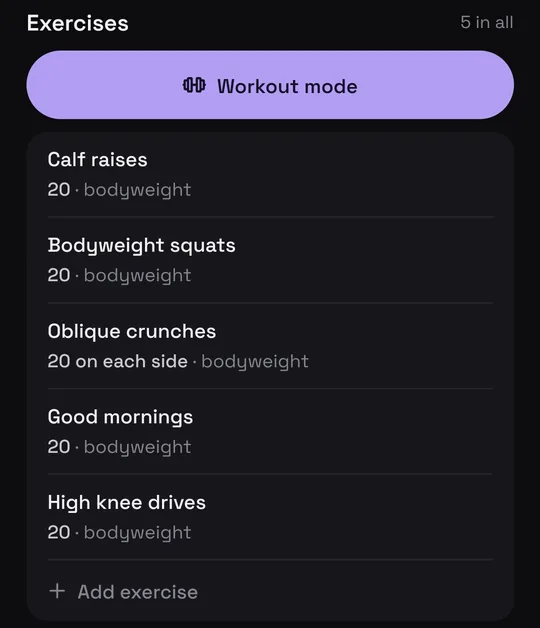
Share the reel or TikTok to Munvi, an Android app that watches the video and writes the workout down: each exercise with its sets, reps, weight and rest. At the gym, workout mode shows one exercise at a time, checks off your sets and counts down the rest, so you never scrub through a reel between sets.
 Free to start · Android
Coming soon to iPhone. Join the waitlist
How it works
Three steps, and you never leave the app you were in.
- 1
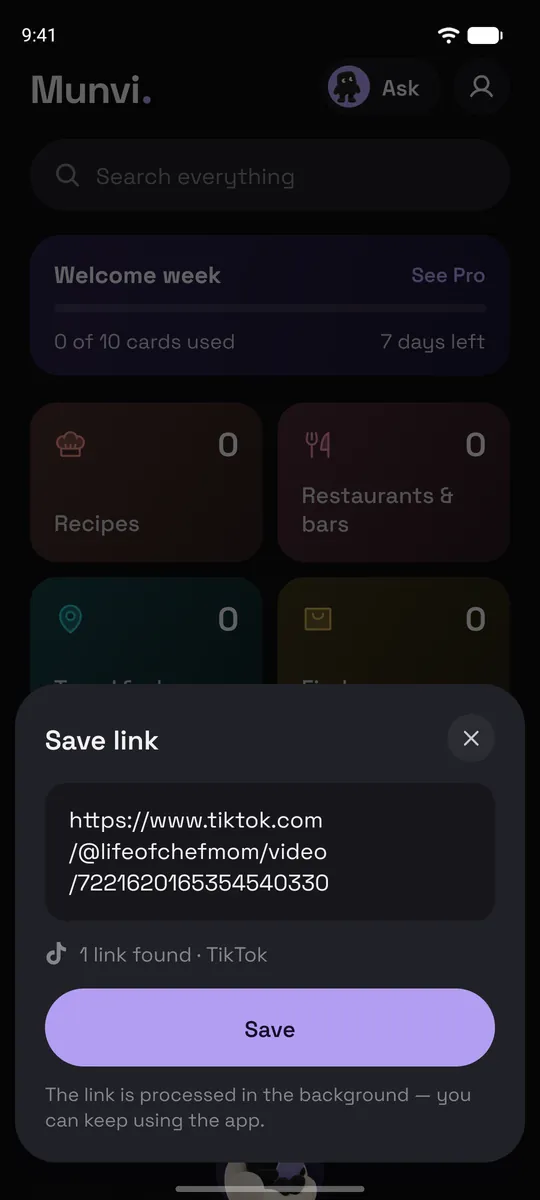
Share it to Munvi
In Instagram or TikTok (or YouTube, Facebook), tap Share and pick Munvi. On Android the app doesn’t even open: you keep scrolling, and a notification tells you when the card is ready, usually in about a minute. You can also paste a link inside Munvi.
- 2
Munvi writes the workout
It reads what the coach says, the reps on screen and the caption, and lists the exercises with sets, reps, weight and rest, with notes on how to do each one. The post goes to your Workouts folder.
- 3
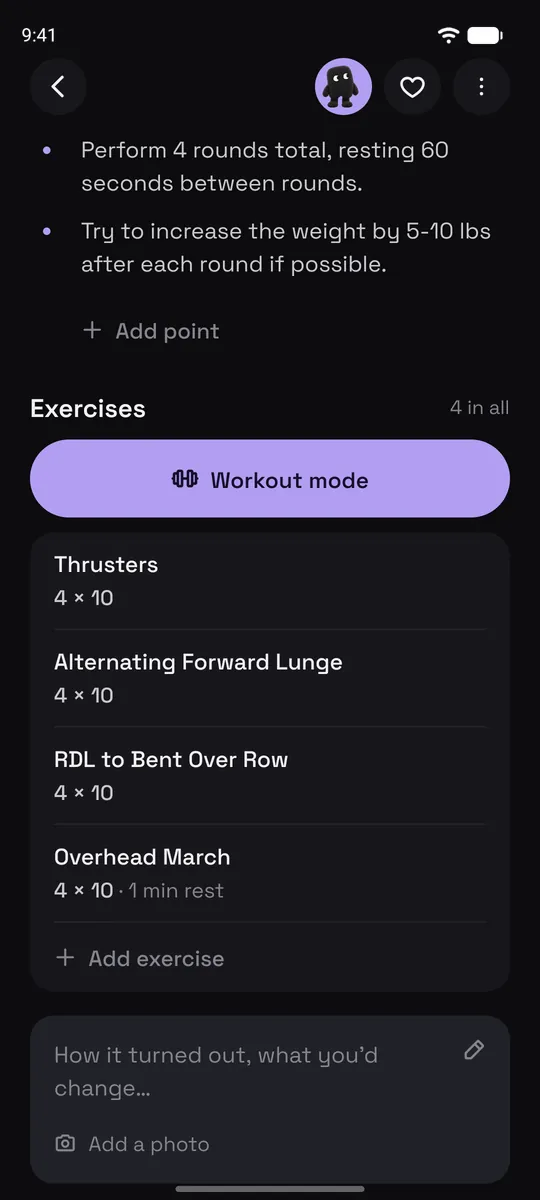
Train from the card
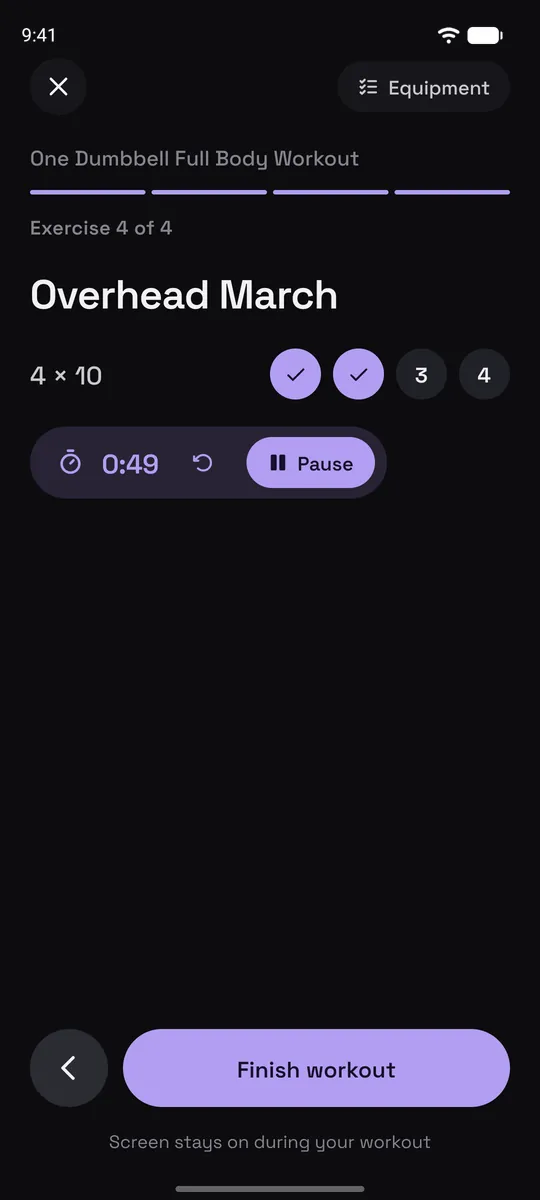
Workout mode takes you through it one exercise at a time: tick off each set, and the rest timer runs between them. The screen stays on.
Screens from the Munvi app for Android.
What’s on a workout card
Written in English whatever language the coach speaks, with a link back to the original post.
Exercises in order, with sets, reps, weight and rest, and the equipment you need.
How to do each one, the cues the coach gives, so you don’t need the video to remember the form.
Workout mode. One exercise at a time, sets you check off as you go, a rest countdown and a screen that stays on.
Your own changes. Edit the reps, add an exercise, or write a note on the card.
Search by move or by what was said. Type “glutes” or “no equipment” and find the workout, even when the title says something else.
Ask your collection. Ask Mun, the app’s assistant, for “a leg workout I saved with no equipment” and it answers from your saves only.
Good to know
- Workout mode times the rest between sets. Timed moves (like 40 seconds of jumping jacks) aren’t counted down for you.
- Munvi keeps the card and a link to the post; it doesn’t download the video.
- Videos longer than 20 minutes get a card on Pro, up to 1 hour.
- Android only for now.
Questions
Does it work when the reps are only said out loud?
Yes. Munvi listens to the video and reads the text on screen, so “20 squats, then 20 calf raises, 3 rounds” ends up on the card even when the caption is just a hashtag.
Can I organize workouts by body part or goal?
Munvi files every workout in a Workouts folder on its own, and when that folder grows it can split it into sections, like legs, upper body or mobility. You can also make your own folders.
Does it save YouTube workouts?
Yes, YouTube videos and Shorts up to an hour long. Videos over 20 minutes get a card on Pro.
Is it free?
It’s free to start. In your first week, up to 10 posts become cards as soon as you save them; after that you get 3 cards a week, made when you open the post. Pro, bought in the app, makes up to 100 cards a week right away and handles videos up to an hour long.
Is Munvi on iPhone?
Not yet. Munvi is on Android now, and the iPhone version is being built. Leave your email at the bottom of this page and we’ll write once, when it’s out.
The next one you save, you’ll actually use.
Free to start · Android